Google Contributor – Ain't Google smart

Surprise! Now you can pay Google to not show you ads on websites that you visit. First, there were no ads. Then Google introduced Adsense and started bombarding you with ads wherever you went. And now, you can be ad-free again, but paying Google a fixed sum of money. This money funds the websites which you visit, to not show you ads.

So here is how it works:
1. Visit Google Contributor
2. Register and select the monthly contribution you want. For $2, you see 5-15% lesser ads. For $5, you see 15-25% lesser ads. And for $10, you see 25-50% lesser ads.
3. When you visit sites, you would see lesser Google adsense ads depending on the plan you chose.
4. You can choose what to see instead, like scenery or patterns.

Voila! Another innovative method devised by Google to put your money into their pockets. Go contribute.

Content writer hunt

The web designer is in, and settled in his job. So now I have to hunt for a content writer. There are too many resumes online, but not the right candidate. Few don’t even pick up the phone, few don’t send back the writing sample you asked them to do, and few just can’t write well.

There are websites like Elance and Skillpages that I should be using, just hasn’t gotten around to doing it. Skillpages is the Indian version of Elance and has many content writers. Just need enough time and patience to evaluate their writing and zero in on a few who can write well.

The hunt is still on!

Web developer

I have been struggling to find a web developer for the past 1.5 months. The requirement is not too fancy. 3+ years of experience with knowledge of HTML5, CSS3, JS, Jquery and responsive web design. Might seem pretty standard for a web developer. But I have been through 30+ candidates taking telephone interviews and sending exercises, without finalizing on anybody.

Most of the resumes have all the required terms in them. But when one goes deeper and starts asking about specific things related to JS and jquery, there is total ignorance. And the samples that these candidates sent as part of their resume were also not great. I was looking for responsive websites done without wireframes like Bootstrap. The quality of most websites were pathetic, shoddy, half-jobs even for websites as small as 8-10 pages.

The project I have is for converting http://www.flatworldsolutions.com into responsive and further maintenance of it in future. How could I trust these candidates with a website that has 800+ pages! The responsive has to be near-flawless and done from scratch, tested well on multiple devices, and compatible from IE8 and above.

Could have also been a budget issue too. So I have now raised the bar and increased the salary budget. Have to wait and watch!

Top 10 Stock photography websites, and my take on them

Anybody who has tried creating a website or a blog knows the value of stock photos and stock photography websites. There are a million of them out there, each having a million photos in them. Here’s a good list of websites you can buy images from. I have used a simple test of searching for “office room” to figure out the options available, quality and price on these websites.

1. Getty images (www.gettyimages.com) – One of the best and most expensive stock photography sites, they offer high-quality images and an elaborate search with many filters. The results are good, but I had to answer more than 10 questions to know the price – what would I use it for and how many times, what is my target industry, what size I need, what page would I place it on and so on, before it gave me a price that was a little shocking. Get used to it, high quality comes at a price.
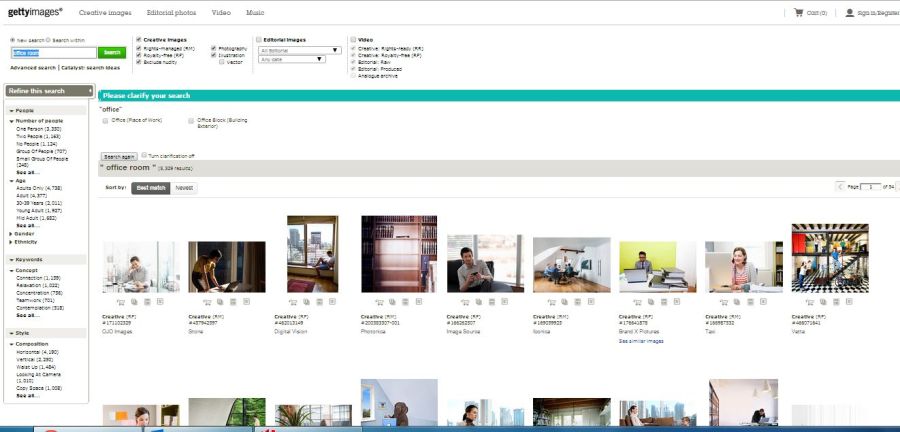
Getty images

2. Istockphoto (www.istockphoto.com) – This one is my personal favorite and was easy on the wallet till a year back. The search results for “office room” gave me some really good pics. And the pricing is available immediately, in credits or USD. Beautiful usability.

Istockphoto

3. Bigstockphoto (www.bigstockphoto.com) – I like these guys. They are not very pricey, they show good results on searching, they have decent filters, and pricing is immediately available. See the search results for “office room” below. The interesting fact is that a lot of photos are common across websites. So dig around till you find the best at the lowest price.

Bigstock photos

4. 123rf (www.123rf.com) – If you have found them multiple times while searching on Google, there is no surprise. They are advertising quite a bit on Adwords these days. Pricing is their key selling point, and they are offering great images at surprising low prices. A search for “office room” gave me decent results and prices starting at 1 credit. Smiles all around.

123rf

5. Thinkstock Photos (www.thinkstockphotos.com) – This is owned by Getty images, and offers same old complicated system for pricing. I had to check out plans and pricing and packs and subscriptions before they could tell me how much an image would cost. And I did not like the results for “office room” much. Thumbs down!
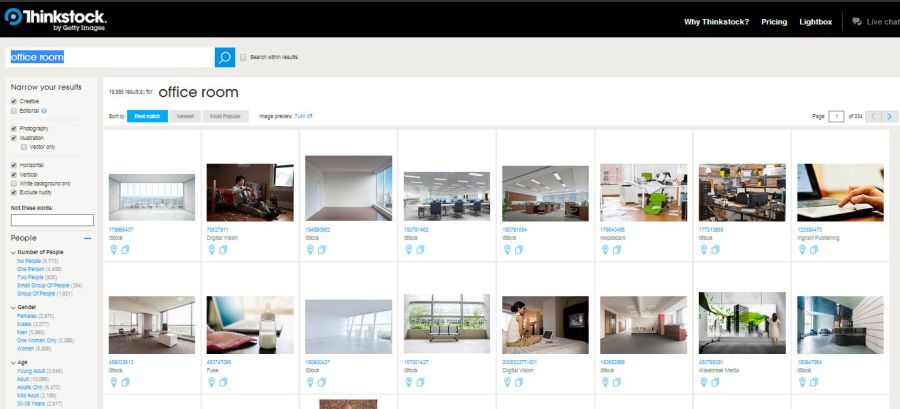
Thinkstock

6. Dreamstime (www.dreamstime.com) – I have downloaded quite a lot of images from this website in the past. Somehow, there is a lack of clarity in images, a lack of beauty that is pushing me away these days. The prices are reasonable, the collection is decent, the search for “office room” gave decent results… but the images look dull and lifeless. The design of the website, which has stayed the same for ages, is also not very confidence-inspiring.

Dreamstime

7. Shutterstock (www.shutterstock.com) – Quite expensive and refuses to reveal the price easily. Their collection of images is good, but not as good as istockphoto.com. Best for those who need high resolution images for printing.

Shutterstock

8. Fotolia (www.fotolia.com) – Pretty standard, a little dull and grey, pretty reasonable in terms of price. That sums of Fotolia for you. If you did not find your image in any of the above websites, why not try them too. Here is the results page I got.
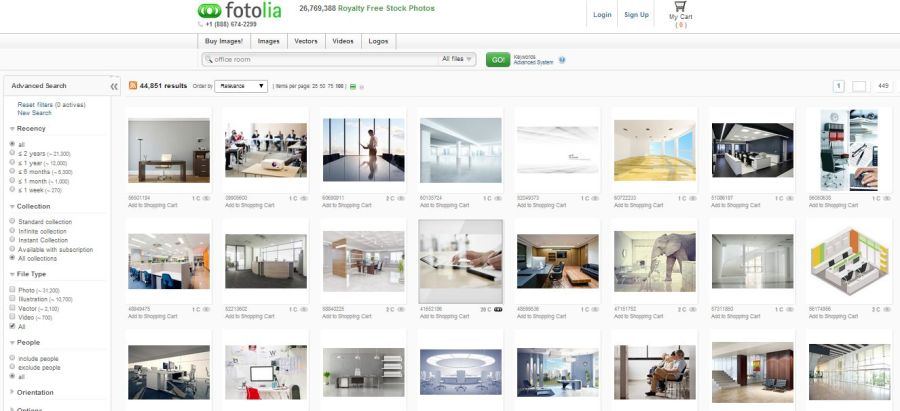
Fotolia

9. Stocksy (www.stocksy.com) – They blew me away with their website design, and got me interested. But my search for “office room” gave me more people than I asked for. It was more like the results for “people working in office”. The photographers are given due credit, and prices are slightly on the higher side. But it is a beautiful site to visit. And who knows, the one photo you were looking for could have been here all this while.
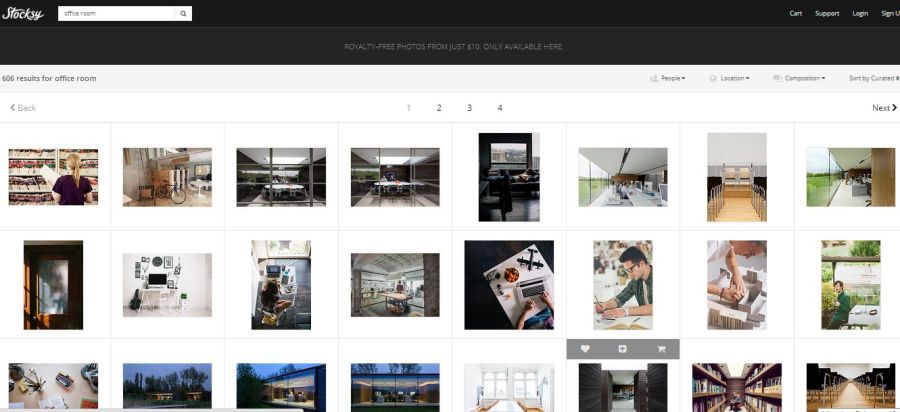
Stocksy

10. Canstock photo (www.canstockphoto.com) – Just when you thought there couldn’t be any more websites with the word “stock” in the domain name, here comes another. And that is what it turned about to be. Just another website with pretty standard photos, and reasonable pricing.

Canstock photo

Along with these, I researched a few others too while writing this blog.

1. Natgeo Creative (www.natgeocreative.com/ngs) – I think they should stick to the magazines. They have some amazing photographs, but the search is horrible, the results are almost non-existent. There are broken links, empty galleries and no clue about the pricing.
2. Corbis images (www.corbisimages.com) – The website looked horrible and refused to load. And that’s when I closed the window.

Answerfirst.com

We are using the services of Answerfirst.com to attend phone calls on our websites. We are based out of India, but our customers are in the US. Answerfirst has agents placed in US picking up the calls 24*7. They will provide you with a number, toll-free or local, for which there is set-up charge of $20. And then the billing is for agent time.

We have provided that number directly on our website, but you can also use your own number and forward it to theirs. A good script is of utmost importance so that you cover all scenarios that a caller might be looking for. They will also assign you a client relationship manager, with whom you have to work continuously at improving the script, improving agent quality, resolving technical issues etc.

For now, we are quite happy with the services. Except for a few call drops, and script corrections, it has been going smooth.

Thank you, Answerfirst.

About us page infographic

The whole online marketing team was excited about infographics. So we decided to do our “About us” page like an infographic. The design was complicated enough, the HTML was even worse. After making the website responsive, HTML has become even more complicated. But finally, we completed it and let us run for 2-3 weeks before checking performance.

Not good, not good at all!
Bounce rate doubled, exit rate went up 80% and time on page came down. It was disappointing and disheartening. But we decided to bite the bullet and revert back to our previous design.

So much for our excitement with infographics. The whole world is raving about it, but we fail to see why. Which makes it really important to test, test and test any change that you make on the website.

Heard about RWD?

Responsive web design(RWD) is going to change the design world on its head in the coming years. Websites moved from fluid layouts to fixed layouts the past decade. And now we are moving back to fluid layouts, and how!!

We were planning to do an “m.websitename” last month, and I started reading up on Google guidelines. That is when I came across this page, http://googlewebmastercentral.blogspot.in/2012/06/recommendations-for-building-smartphone.html. Google gives three options, the most recommended one is where you render the same webpage regardless of the device, modify just the CSS to render it correctly on different screen resolutions. The second option is where the webpage is the same, but the HTML is modified to suit the resolution of the device. The third and the least preferred option is “m.websitename”.

The reasons are pretty obvious

  • deciding which pages to publish on different versions
  • getting Google to rank the mobile version on mobile devices
  • maintaining 2 different websites instead of 1
  • web analytics for 2 websites instead of 1

Now that the benefits are clear, we are embarking on a mission to make our website, www.outsource2india.com responsive. We decided to outsource the code part, and started searching for vendors and for good websites that have already implemented responsive web design. My personal favourite is www.bostonglobe.com. Open the website and try reducing the screen size by dragging the edges. It works like music, very smooth, very seamless.

See the 20 best responsive designs here.

We are in the process of identifying vendors and designs. See our designs soon on http://www.outsource2india.com.

About us pages

We are planning a redesign of the website and I was researching some of the best About us pages online. I liked this link on http://www.blogtyrant.com/best-about-us-pages/ and most of the pages featured there, ranging from the weird, http://www.andrewreifman.com/ to the very long, http://www.seomoz.org/about, to the nice ones, http://twitter.com/about.

Here I am still undecided on what best to portray on the about us page. The 5 Ws looks like a good starting point. Five boxes of text each featuring the answer to each of the questions.

about us outsource2india

Still working on it…..

Twilio

We are going to add phone number to the website using Twilio. Not bad. They have full-fledged API integration with our software so that each phone call can be captured as a lead.
That was one problem we had for a long long time. How do we get proper record of incoming calls and then follow up on them. Now, the call comes on the Twilio number, get added to a dababase and goes to our sales force software from the database. Sounds pretty complex! It’s pretty simple and smooth. And gets our job done beautifully.

Planning to take about 10 numbers. Local numbers come at $1 per month + usage charges, which is not very high. And toll free numbers come at $2/month + usage charges.

The primary reason for adding phone number to the website is to impress Google into giving us better rankings. Have to wait and see whether it works:)

Google panda algorithm affects many websites

Google panda algorithm update started in Feb, 2011 and was rolled out across all countries by April 11, 2011. Panda or farmer update is supposed to weed out websites with low-quality content or duplicate content. True, some of the worst affected sites are ezinearticles, suite101, buzzle, hubpages. The same names that were the favorites of SEO specialists have now become taboo.
But the Panda or Farmer algorithm has also affected good-quality, original content sites like ours. Our website, http://www.outsource2india.com suffered more than 50% dip in traffic and significant drop in rankings after April 11th. We have always been conscientious of the content that went online outsource2india; original content that would be of interest to our visitors. And yet Google considers us a content farm.
Ideas on what can be done to overcome the Panda algorithm update- traffic drop
1. Google webmaster tool – Go through and rectify any and all suggestions given by Google, like crawl errors, sitemap errors, HTML suggestions, loading time suggestions.
2. Run Xenu Linksleuth to fix any broken links, 404 errors that you website might be throwing up.
3. Modify robots.txt to include any unnecessary blog files or outdated pages.
4. Beware of your hosted wordpress blog files. Plugins can be hacked easily. Outsource2india suffered a pharma hack which took some time to rectify. And we fear that is one of the reasons why our rankings went down. Remove foreign codes, unnecessary plugins. If possible, move the blog to WPengine, which is the paid version of WordPress.
5. If you have not been active in the social media arena, start Facebook and Twitter accounts immediately. Google would be using your presence in these media as one of the factors to rank your websites.
6. Start off on top social bookmarking sites like Digg, Delicious, Reddit, Mixx, StumbleUpon. But everything in moderation. Don’t overdo it, and then cry when these sites go the ezinearticles way.
7. Try to remove your articles from the article submission websites that have become the dirty word after Panda update. Ezine has not increased the number of words in the articles to 400 and doubled the review period in an effort to increase the quality of content.
8. Take care of duplicate content. If you have taken content from other websites, remove it. If you think, other websites have taken content from you, take a premium account of Copyscape that will help you search for websites that have copied content from you. File a DMCA complaint with Google. Be patient; this is a time consuming affair.
9. http://www.google.com/support/forum/p/Webmasters/thread?tid=76830633df82fd8e&hl=en&start=1480 – Write about your website on Google webmaster central. There is a disclaimer that individual websites cannot have manual exceptions, but the feedback would be used in tweaking the next update.
10. Submit your site for reconsideration. And be optimistic. Google manually brought back the rankings of Cult of Mac, a popular blog, after reports on dropping traffic to the blog. The big white elephant might start considering smaller sites too.

Good luck. And do let me know if these worked! I am trying them too….